X/Twitter Video Download Has No Sound? Check and Fix Missing Audio
Fix a silent X/Twitter download: check whether the source has sound, inspect the saved audio track, and distinguish a video-only file from a player problem.
If an X/Twitter video download has no sound, check the original post first, then inspect the saved file for an audio track. No track means the audio was not saved; a listed track points to volume, player, or codec checks. Retry one supported audio-video output only if the source has sound. Conversion cannot recreate missing audio.
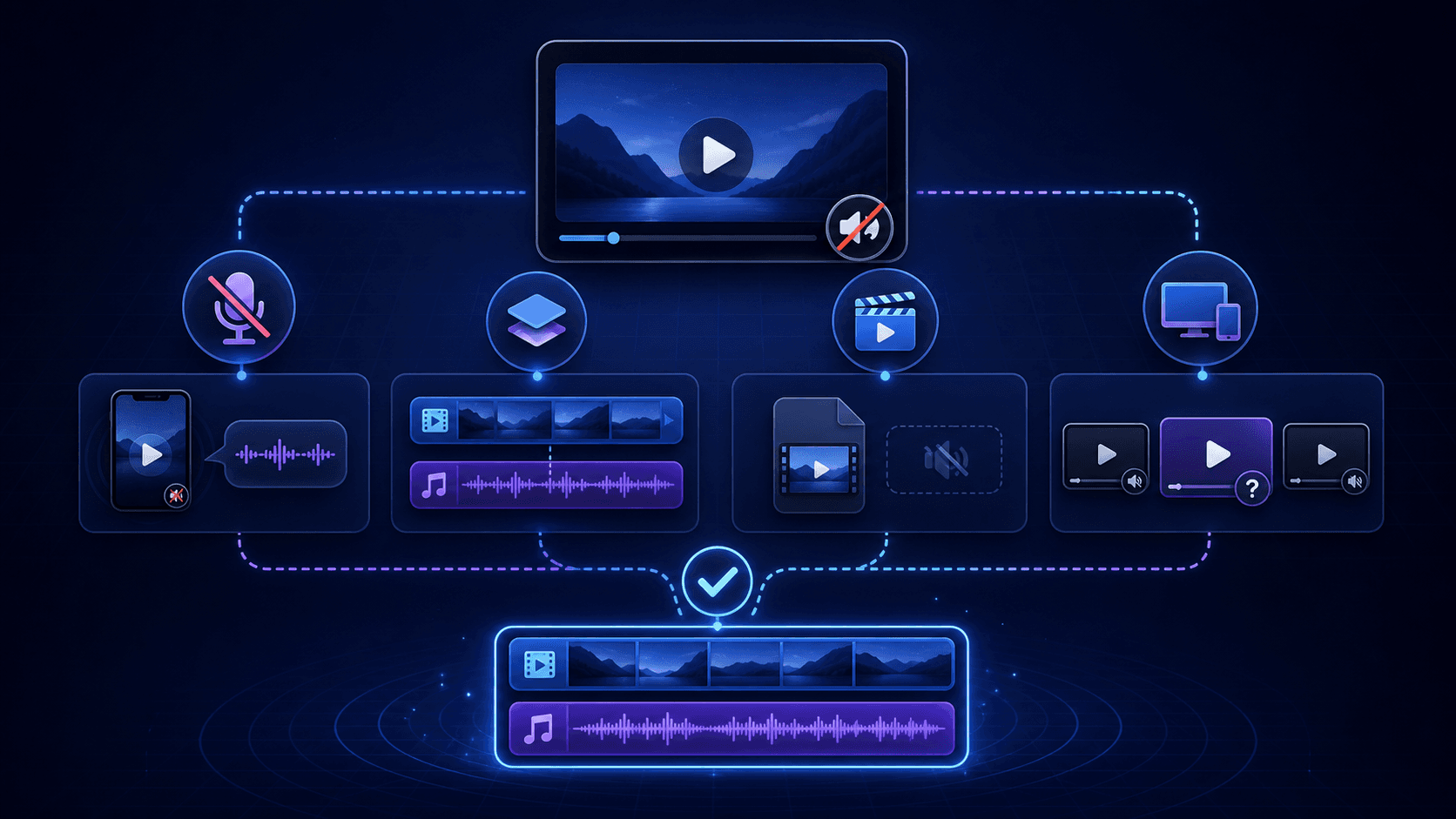
Direct answer
If an X/Twitter video download has no sound, check the original post first, then inspect the saved file for an audio track. No track means the audio was not saved; a listed track points to volume, player, or codec checks. Retry one supported audio-video output only if the source has sound. Conversion cannot recreate missing audio.
Run this 60-second no-sound check
- Replay the original public X/Twitter post with the browser tab and device unmuted.
- Open the saved file in a second trusted media player.
- View the file's media information and look for an audio track.
- Confirm that you used the canonical
x.comortwitter.compost URL, not an embedded player or copied media URL. - If another output is available, choose one explicitly described as containing both video and audio.
These checks separate a silent source from a missing track, a video-only selection, and a playback compatibility problem.
Match the symptom to the likely cause
| Symptom | Likely cause | What to do next |
|---|---|---|
| The original post is also silent | The post may be muted by design or may contain a GIF-style clip without audio | No downloader or converter can create source audio that does not exist |
| The original has sound, but the file has no audio track | Only the video stream was saved, or separate audio was not included | Try one supported combined audio-video output; otherwise treat the source as unsupported |
| The file lists an audio track, but playback is silent | The player may not support the audio codec, or the track may be damaged | Test a second trusted player before downloading again |
| One quality is silent but another has sound | The source may expose video-only and combined renditions | Choose the rendition that explicitly includes audio |
| The post opens only after login | The source is not suitable for a public-link workflow | Use X/Twitter's official access or save features; do not provide passwords or cookies |
Check whether the original X post contains audio
Open the original post in a normal browser window and play it from the beginning. Check the post's volume control, the browser tab, the operating-system volume, and any connected audio device. Some short looping clips look like videos but do not contain an audio track.
If the original post is silent, the saved file is behaving as expected. Raising volume, changing the filename, or converting the container will not add sound.
Check the downloaded file for an audio track
Use the media-information or track-list view in a trusted player. A normal audio-video file should list at least one video stream and one audio stream. If the file lists video only, the missing sound is a track-selection or source-availability issue rather than a speaker-volume issue.
If an audio stream is listed, play the file in a second player. This distinguishes a codec or player problem from a file that never captured audio.
Optional: inspect a local file with ffprobe
If FFmpeg/ffprobe is already installed, inspect your own downloaded file without uploading it to another service:
ffprobe -v error -select_streams a -show_entries stream=codec_name,channels -of json "downloaded-video.mp4"
Replace the filename with your local file path. A successful result with an empty streams array means ffprobe found no audio stream. A listed audio codec and channel count mean an audio track exists, but do not prove that it contains audible sound or decodes correctly. An error opening or reading the file is inconclusive; check the path or an incomplete download first.
This is a file-inspection command, not an X downloader or an access-control workaround. The official ffprobe documentation explains audio stream selection and structured output. If you do not use command-line tools, use a trusted player's media-information view instead.
Why X video and audio can arrive separately
Some public video sources deliver adaptive streams in which video and audio are separate. A high-resolution option may contain video only, while another rendition or companion stream carries audio. Saving only the video stream produces a valid-looking but silent file.
A responsible workflow should not hide this distinction. It should identify a combined output when one is available or explain that audio could not be included.
When to try AnyVidDL again
Retry only once with the canonical public post URL. Use the X Video Downloader for an x.com link or the Twitter Video Downloader for a legacy twitter.com link. If an output is explicitly described as containing audio and video, choose that option rather than assuming the highest resolution includes both tracks.
Record the public post URL, test date, selected output, browser, player, and visible failure message. These details make a real format problem easier to distinguish from a private, deleted, or unsupported source.
When to stop
Stop instead of retrying when the post is private, deleted, paid, login-only, region-restricted, credential-gated, or protected by access controls. Do not share an X/Twitter password, account cookie, session token, or DRM key with a downloader.
Downloading a playable file also does not grant permission to repost, redistribute, or commercially reuse someone else's video.
Prevent the problem before the next download
For a pre-download checklist, use X Video Downloader With Audio. That guide explains how to confirm source audio and choose an output before saving. This page remains focused on diagnosing a file that is already silent.
FAQ
Why does the original X video have sound but the downloaded file does not?
The selected output may contain only the video track, the audio may have been delivered as a separate stream, or the media player may not support the file's audio codec.
How can I check whether the downloaded file contains audio?
Open the file's media information or track list in a trusted media player. If no audio stream is listed, changing volume or converting the container will not restore the missing track.
Can converting a silent X video to MP4 restore the sound?
No. Conversion can change the container or codec, but it cannot create an audio track that was not captured from the source.
Should I download the same X video again?
Retry once with the canonical public post URL and an output explicitly described as containing both video and audio. Stop if the post is private, login-only, paid, deleted, or otherwise restricted.
Can AnyVidDL preserve audio for every X video?
No. Audio availability depends on the public source, exposed tracks, supported output, and current product limits. AnyVidDL should show an available option or a clear failure reason rather than guarantee sound.
Review scope
This guide covers public or permitted X/Twitter links and visible file checks. It does not claim that every X video exposes a downloadable audio track or that AnyVidDL can process every post.
Related pages
x-video-downloader
Open this related workflow or decision page.
twitter-video-downloader
Open this related workflow or decision page.
guides x-video-downloader-with-audio
Open this related workflow or decision page.
guides twitter-video-download-failed
Open this related workflow or decision page.
guides twitter-video-format-supported
Open this related workflow or decision page.