X Video Downloader With Audio: Save Twitter Video With Sound
Download an X/Twitter video with sound: confirm source audio, choose a combined audio-video output when available, and verify the saved file before keeping it.
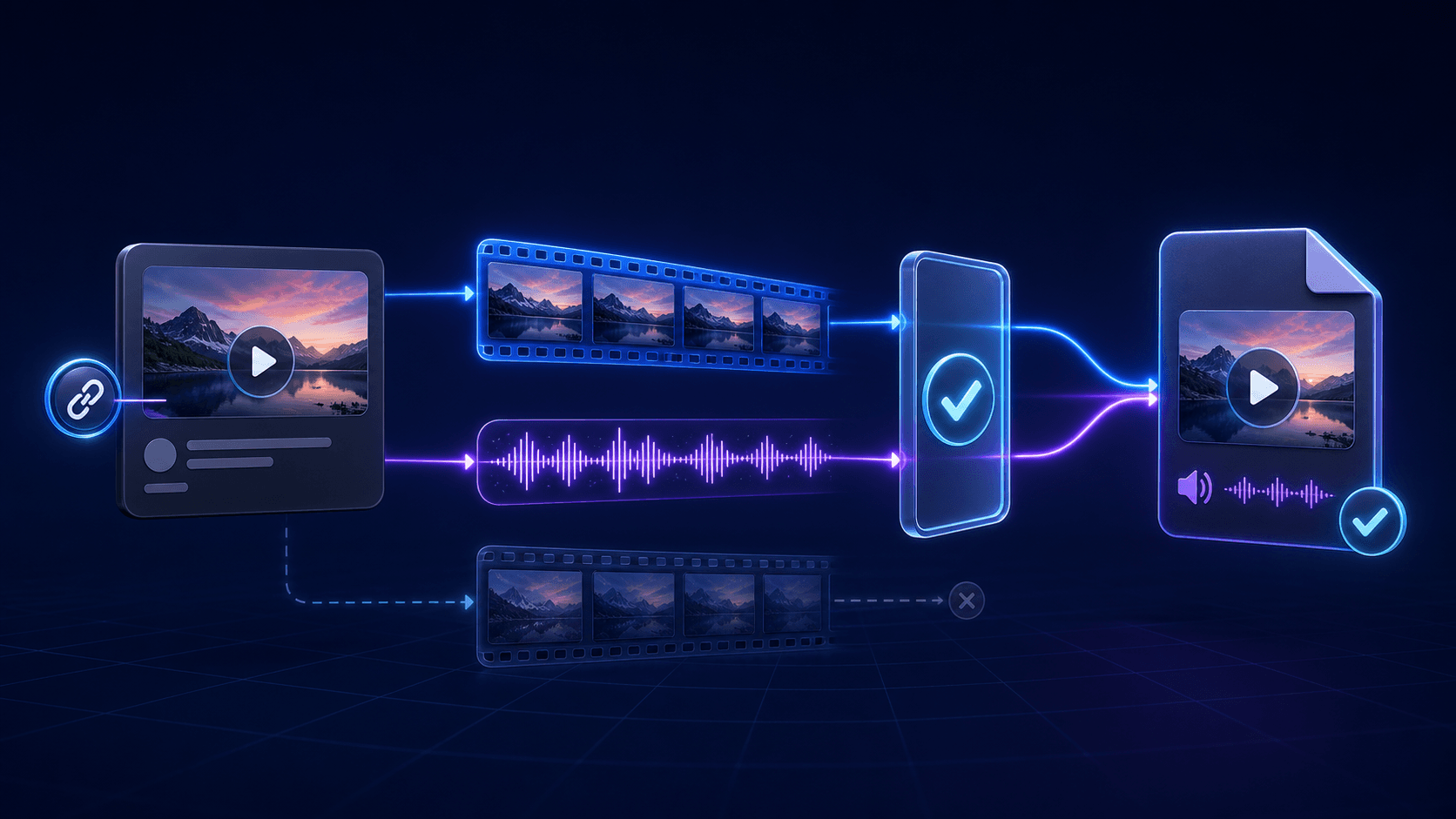
To download an X/Twitter video with audio, play the public post to confirm sound, use its canonical post URL, and choose a supported output that includes video and audio. Verify the saved file before keeping it. An MP4 label or high resolution alone does not guarantee sound, and some sources have no combined option.
Direct answer
To download an X/Twitter video with audio, play the public post to confirm sound, use its canonical post URL, and choose a supported output that includes video and audio. Verify the saved file before keeping it. An MP4 label or high resolution alone does not guarantee sound, and some sources have no combined option.
Use this guide before downloading
This page is a pre-download selection guide for public or permitted X/Twitter posts. It helps you check whether sound exists and whether an available output is likely to contain both tracks before you save the file.
If you already have a silent file, go directly to X Video Has No Sound After Download. That page owns the post-download troubleshooting steps.
Check the source before choosing an output
- Open the canonical public
x.comortwitter.compost URL. - Play the original video with the post, browser tab, and device unmuted.
- Confirm that saving the video fits your rights and purpose.
- Use the matching X or Twitter tool page for one public link.
- Choose an available option only when its label or details indicate that audio is included.
Do not assume that the highest resolution is automatically the best audio-video option. Adaptive streams can expose high-resolution video separately from audio.
Understand the available stream type
| Source or output | What it can contain | Audio decision |
|---|---|---|
| Combined audio-video rendition | Video and audio in one selectable output | Prefer this when a playable file with sound is the goal |
| Separate video and audio streams | A video rendition plus a companion audio track | Use only a supported workflow that clearly combines both tracks |
| Video-only rendition | Picture without an audio stream | Do not expect conversion to add sound later |
| Silent source post | No source audio exists | Save only if a silent file is acceptable |
The file extension alone is not enough. MP4 describes a container and does not guarantee that an audio stream is present.
Verify the result before keeping the download
After choosing a supported audio-video option, play the saved file locally and compare the same segment with the source post. Check the beginning and a later point rather than relying on a thumbnail or the .mp4 filename.
- If sound is present and the file plays normally, keep the result and its source/permission note.
- If the source itself is silent, do not keep retrying for an audio track that does not exist.
- If the source has sound but the saved file is silent, stop the pre-download selection workflow and use the missing-audio diagnosis. That guide distinguishes an absent track from a player problem.
- If the tool does not expose a supported combined output, report the limitation rather than claiming it can merge every X stream.
Choose the correct AnyVidDL entry point
Use X Video Downloader for current x.com links. Use Twitter Video Downloader when the public post uses a legacy twitter.com URL. Both pages should show only options supported by the source and current workflow.
AnyVidDL should not promise audio, HD quality, or successful output for every post. If a combined option is unavailable, the useful result is a clear limitation or failure reason—not repeated attempts with private access or account credentials.
Record enough context to troubleshoot later
Keep the original post URL, test date, selected output label, browser, and permission note with the file. If the result is silent, those details show whether the problem began with the source, output selection, separate tracks, or playback.
For format-level checks, see Twitter Video Formats Supported. For a silent saved file, use the no-sound troubleshooting guide.
Do not use this workflow when
- The post is private, deleted, paid, login-only, credential-gated, or otherwise restricted.
- Access requires a password, account cookie, session token, or DRM key.
- The user does not own the video, lacks permission, and cannot lawfully keep a copy.
- The goal is to remove attribution or obtain reposting rights.
FAQ
How do I choose an X video download that includes audio?
Confirm that the public source plays with sound, then choose an available rendition explicitly described as containing both video and audio rather than assuming the highest resolution includes both.
Does every public X video have an audio track?
No. Some posts are silent, use GIF-style loops, or expose video and audio as separate streams.
Is MP4 always an audio-video file?
No. An MP4 container can contain video only. Check the output label or file tracks instead of relying on the extension.
Can AnyVidDL guarantee audio for an X video?
No. AnyVidDL can show supported options or failure reasons, but audio depends on the public source, available streams, and current product support.
What should I do if the saved X video is already silent?
Use the X video no-sound troubleshooting guide to check the original post, file tracks, selected rendition, and media player.
Review scope
This guide describes how to choose an audio-video output for public or permitted X/Twitter links. It does not claim universal X support or guarantee that a combined rendition is available.
Related pages
x-video-downloader
Open this related workflow or decision page.
twitter-video-downloader
Open this related workflow or decision page.
guides x-video-no-sound-fix
Open this related workflow or decision page.
guides twitter-video-format-supported
Open this related workflow or decision page.
methodology twitter-video-download-test
Open this related workflow or decision page.