VLC Not Playing M3U8 Links? Check the Playlist, Network and Access Limits
VLC not playing M3U8 links? Diagnose relative path errors, unreachable origins, variant codec limits and access restrictions in four practical checks.
If VLC is not playing M3U8 links, check the playlist and the resources it references separately. An M3U8 is an index, not a completed video file. A local copy may resolve relative segment paths differently from the original URL; a network playlist may load while its media resources fail. Access restrictions and compatibility need separate checks rather than a single presumed cause.
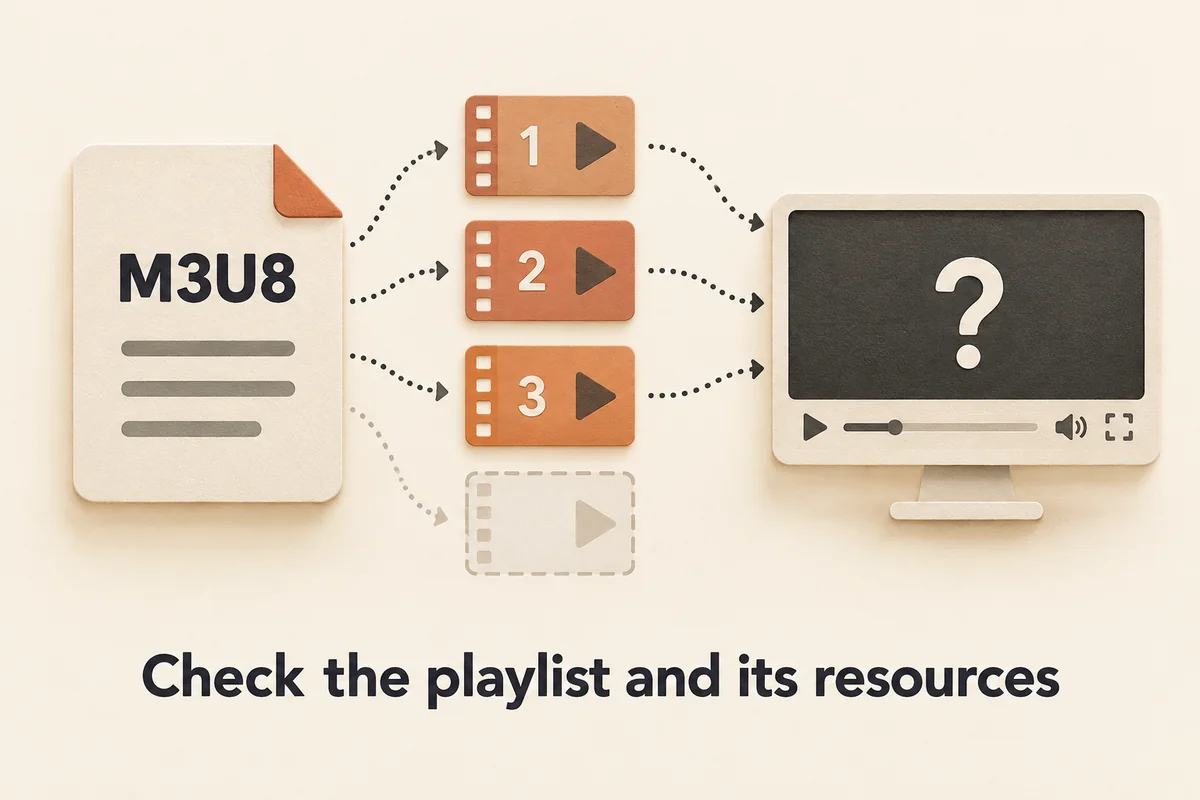
You paste an M3U8 URL into VLC, press Play, and nothing happens. Or you open a saved .m3u8 file from your downloads folder and get an immediate black screen. A useful starting point is that an M3U8 playlist is structurally similar to a table of contents: it lists where the real media segments live, but it does not contain them. A player needs the referenced resources as well as a usable playlist; failure at either level can interrupt playback. This guide walks through ordered checks that help narrow the failure. It covers only legitimate playback troubleshooting for media you own or have clear authorization to view; it does not address recovering restricted, DRM-protected, or expired streams.
Why VLC Fails on M3U8 Playlists: A Quick Diagnostic Overview
HLS (HTTP Live Streaming) works by breaking a video into short transport-stream or fragmented-MP4 segments and listing them in a plain-text manifest ending in .m3u8 (RFC 8216). A master playlist contains #EXT-X-STREAM-INF entries that point to media playlists; those media playlists in turn list the actual .ts or .mp4 segment files. A usable playback path needs the applicable playlist and media resources.
This architecture means an HTTP 200 response on the playlist file proves almost nothing about segment availability. VLC can load an .m3u8 instantly, then stall or quit the moment it requests the first segment and receives a 403, a redirect to a login page, or a DNS failure. The same broad symptom can arise from different failures; record the actual resource and error rather than inferring the cause from a black screen alone.
Use VLC’s diagnostic messages when available, following the instructions for your installed platform and version. A message identifies an observed failure; it does not automatically establish the server’s reason for refusing a request.
| Observation | Next check | Limit of the observation |
|---|---|---|
| Local segment path is missing | Check the directory structure used by the playlist | Does not diagnose the original network URL |
| Playlist URL responds | Check that the response is a playlist and media resources are reachable | HTTP 200 alone does not prove playback |
| Access is denied | Use the provider’s authorized viewing or offline path | Do not replay credentials or bypass access controls |
Check 1 — Local M3U8 File With Relative Segment Paths
One local-file failure case: you downloaded or were given an .m3u8 file, saved it to /Users/you/Downloads/stream.m3u8, and opened it in VLC. Playback stops immediately because the .m3u8 references segments by relative name only.
Open the file in a text editor. A relative-path playlist looks like this:
#EXTM3U
#EXT-X-VERSION:3
#EXT-X-TARGETDURATION:4
#EXTINF:4.0,
seg-001.ts
#EXTINF:4.0,
seg-002.ts
#EXTINF:4.0,
seg-003.ts
#EXT-X-ENDLIST
VLC treats the folder containing stream.m3u8 as the base path and looks for /Users/you/Downloads/seg-001.ts. If those .ts files are not present in the same directory, playback fails with a file-not-found condition.
An absolute-URL reference does not depend on the local playlist directory, although the remote resource must still be available:
#EXTINF:4.0,
https://cdn.example.com/hls/seg-001.ts
Here VLC fetches each segment over HTTP regardless of where the .m3u8 file is stored locally. Fix for relative-path playlists: either copy all .ts segment files into the same folder as the .m3u8, or, where you are authorized to use it, open the original network URL rather than the saved playlist file. A saved .m3u8 without its accompanying segments is not a portable video file—it is a shortcut that only works when the segments are reachable (RFC 8216 §4.1 on URI references).
If you need a self-contained file you can keep and replay, see the M3U8 HLS download workflow guide for the separate public/authorized-source workflow and its output limits.
Check 2 — Network Origin and Individual Resource Responses
For a remote URL, use the network-stream opening workflow described by the VLC media documentation. Keep that separate from opening a local playlist. The correct URI base is part of the distinction, not simply a different button in the player.
Record which resource fails: the first playlist, a referenced media playlist, an initialization resource, or an individual segment. A 404 response reports that the requested resource was not found; it does not tell you whether another resource works. A 403 reports that the request was refused, but does not establish a particular credential, header or server-policy explanation. Stop if the content requires an access path outside your authorization.
A server may return HTTP 200 with an HTML page rather than HLS content. Check the response type and actual playlist text before interpreting the status as success. If certificate validation fails, stop and use the provider’s supported path; do not disable certificate checks to make playback continue.
Check 3 — Master Variants, Fragmented MP4 Init Maps and Codec Limits
A master HLS playlist does not contain video at all—it is a menu of alternative quality streams. Each #EXT-X-STREAM-INF line declares a bitrate and optional codec attributes, then the next line provides the URI of the corresponding media playlist:
#EXT-X-STREAM-INF:BANDWIDTH=800000
https://cdn.example.com/hls/low/index.m3u8
#EXT-X-STREAM-INF:BANDWIDTH=4000000
https://cdn.example.com/hls/high/index.m3u8
If the provider exposes separate public variants you are authorized to view, inspecting one individual media-playlist URL can help distinguish a variant-selection problem from a general source failure. Do not infer that a particular codec or missing hardware decoder is the cause solely from an audio-only or black-screen symptom.
Fragmented MP4 streams introduce an additional failure point: the #EXT-X-MAP tag references an init segment that must be fetched before any frame can decode:
#EXT-X-MAP:URI="init-segment.mp4"
If that init file returns 404 or is absent from the local directory, the required initialization data is unavailable, even if subsequent media-segment requests succeed. Look in the Messages log for errors specifically on the init URI rather than on numbered segments.
The HLS specification describes initialization resources and playlist references. Those protocol rules do not establish compatibility for every codec or VLC build.
Check 4 — Access Limits and When to Stop
Expired source URLs, private or login-gated media, unavailable encryption keys, and DRM restrictions are access boundaries for this guide. A query-string parameter alone does not prove a URL is signed or expired, and a key tag alone does not establish that a stream uses DRM. Use the provider’s documented access rules and the actual response rather than guessing from a filename or tag.
If you lack the required access, stop. Do not copy browser cookies, replay session tokens, spoof request headers or retrieve restricted keys to continue playback. If you do have legitimate access, check whether the provider offers an authorized viewing or offline option.
Sources and Testing Scope
The VLC media documentation supports the file/network-stream distinction. RFC 8216 supplies playlist, URI and initialization-resource rules. These references are not a device-specific codec test.
VLC 3.0.24 on macOS arm64 decoded three original synthetic cases in headless mode with dummy audio/video outputs: local HLS, the same HLS served over loopback HTTP, and a local MKV. Each exited with code 0 and produced first-picture and end-of-input markers. This establishes only that those decoder runs completed. It is not visible or audible GUI playback approval, a perceptual quality evaluation, or a production AnyVidDL download test. No private, DRM-protected or third-party stream was tested.
Key takeaways
- An M3U8 references media resources; a saved playlist alone is not a self-contained video.
- Separate local URI resolution from network responses, and check the playlist and its referenced resources individually.
- Treat private/login, expired-access and DRM boundaries as stop conditions; use an authorized provider path rather than a workaround.
Conclusion
Start with the resource location: is VLC opening a local playlist or the original network URL? Then distinguish a usable playlist response from usable media resources. Record actual failures and check documented compatibility before drawing a conclusion from a black screen or status code. The in-house headless cases support this bounded diagnostic approach, while real playback on your own authorized source still needs verification in your actual setup.
FAQ
Why does VLC show a black screen or play audio only on some M3U8 streams?
A black screen or audio-only result is an observation, not a diagnosis. Check the actual playlist and resource responses, record VLC’s diagnostic output, and compare the source’s documented format requirements with your installed player. The synthetic headless tests described here do not establish support for an arbitrary stream, codec or device.
What is the difference between opening an M3U8 file and opening an M3U8 network URL in VLC?
Relative resource references resolve against the playlist’s location. A local playlist containing bare segment filenames therefore needs those files at the matching local paths. The original network URL uses its own URI base. An unchanged playlist can behave differently after it is saved locally, while absolute remote references still depend on the remote resources remaining available.
Can VLC play an M3U8 that requires a login or custom authorization header?
If a source requires a private login, unavailable credentials or DRM access, stop this troubleshooting path and use the provider’s sanctioned application, viewing flow or offline option. This guide does not provide credential replay, header spoofing, key extraction or access-bypass instructions. A playback failure does not grant access to the content.
Sources
Related pages
Download YouTube Video in 4K MKV: Codec and Player Checks
Understand vendor-documented MKV options, separate container from codec, inspect an authorized saved file, and check playback before choosing conversion.
4K Video Downloader Subtitles: Choose SRT or Embedded Output
Use documented subtitle settings in 4K Video Downloader Plus, choose separate SRT or embedded output, and diagnose missing tracks before repeating a download.
AC3 vs AAC: Audio Compatibility, Surround Sound and Passthrough
Compare AC3 and AAC for local media: check player and container support, understand passthrough, and decide whether to preserve or re-encode an audio track.
Download a Direct MP4 with AnyVidDL Desktop on Windows: A Tested Walkthrough
Follow one tested Windows desktop MP4 download with real screenshots, output settings and file checks, including this unsigned release’s limits.