M4A vs AAC: Container and Codec Are Different Layers
M4A is a container; AAC is a codec. Learn where ALAC fits, inspect the actual stream, and distinguish renaming, remuxing and re-encoding.
M4A is an MPEG-4 container—a wrapper that holds audio streams and metadata. AAC is a lossy codec that often sits inside that container, but M4A files can also carry ALAC lossless audio. The two operate at different layers, so comparing them as rival formats misses the point. The file extension tells you the packaging; only inspecting the stream tells you the codec.
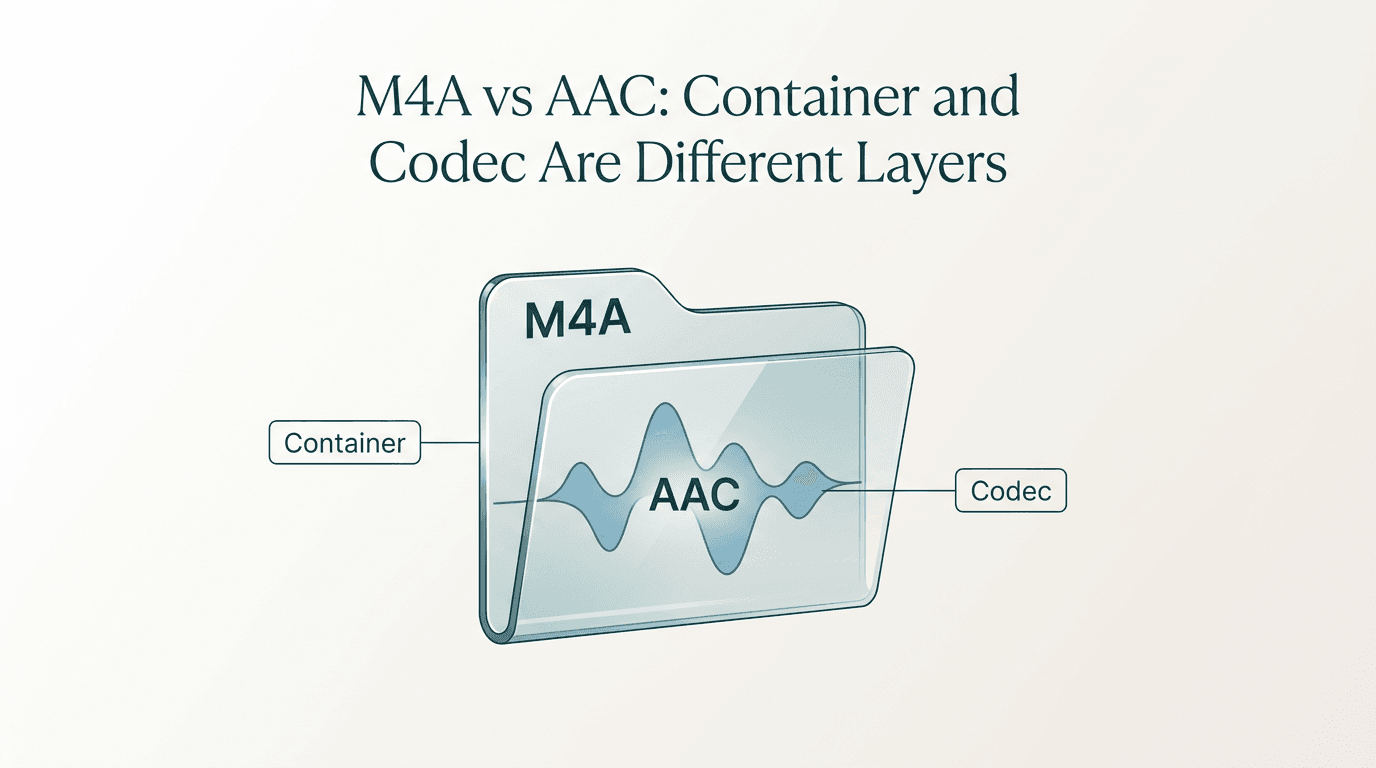
If you have ever searched "M4A vs AAC" expecting a clean winner, you probably found contradictory advice. Some pages treat the two as competing formats; others use the names interchangeably. The confusion is understandable because the terms describe different layers of the same file. M4A is a container—a structured wrapper defined by the MPEG-4 Part 14 specification. AAC is a lossy audio codec that is frequently, but not always, the payload inside that container. An M4A file might instead hold Apple Lossless (ALAC) audio, which is an entirely different codec. This guide separates the two layers, walks through a concise comparison table, and offers an optional inspection command so you can verify what your file actually contains before you decide to convert or re-tag anything.
Short answer: M4A is the box, AAC is one possible filling
Think of a shipping box and the item packed inside it. M4A is the box: an MPEG-4 Part 14 container identified by the .m4a file extension. It wraps one or more audio streams together with metadata such as track titles, album art, and chapter markers. The extension signals that the file is audio-only, but it says nothing about how the audio was encoded.
AAC—Advanced Audio Coding—is one item that can be packed inside that box. It is a lossy codec, meaning it reduces file size by discarding audio information that its psychoacoustic model considers less perceptible. AAC can also be carried in other containers: MDN's audio codec guide lists MP4, ADTS, and 3GP as additional options.
Here is the part that trips people up: M4A files may instead contain ALAC (Apple Lossless Audio Codec), a completely separate lossless codec. Apple's own delivery documentation lists M4A as a container type for ALAC in its music audio source profile. So when someone asks "Is this M4A file lossy or lossless?" the honest answer is: you cannot tell from the extension alone. You need to look inside the container.
What a container does and why M4A is one
A container is a file-level structure that packages one or more encoded streams together with supporting data. That supporting data can include metadata fields (title, artist, album), timing information that synchronizes playback, chapter markers, and even embedded artwork. The container itself does not perform any audio compression or decompression; it simply organizes the pieces so a player can find and read them.
M4A is based on the MPEG-4 Part 14 container structure, sharing its architecture with the more familiar .mp4 video container. The .m4a extension is a convention that tells software the file holds audio only, which is why some applications handle it differently from .mp4 even though the underlying box structure is the same.
Because the container is codec-agnostic at this level, the .m4a extension alone does not establish whether the enclosed audio is lossy or lossless. The National Archives' PRONOM registry notes that the extension is used by ALAC audio files as well, reinforcing the point that you need to inspect the stream—not the suffix—to know what encoding you are dealing with.
What a codec does and where AAC fits
Where a container organizes data, a codec transforms it. "Codec" is short for coder-decoder: the algorithm that compresses raw audio into a smaller bitstream on one end and reconstructs a playable signal on the other. Every audio file you listen to was processed by some codec before it was placed inside a container.
AAC is a lossy codec. During encoding, it analyzes audio frames and removes information that its psychoacoustic model predicts you are unlikely to hear. The result is a significantly smaller file compared with uncompressed PCM, but the discarded data cannot be recovered. MDN's audio codec reference classifies AAC as lossy and lists MP4, ADTS, and 3GP among the containers that can carry it.
ALAC works differently. It is a lossless codec: it compresses audio without discarding any data, so decoding reconstructs the original signal bit-for-bit. Despite being a completely different codec, ALAC streams are also commonly wrapped in the M4A container. Apple's delivery documentation explicitly lists M4A as a container type for ALAC.
This is the core of the M4A-vs-AAC confusion. Two files can share the .m4a extension while containing entirely different codecs—one lossy, one lossless. The extension describes the packaging; the codec describes the audio.
M4A and AAC side by side
The table below places the two side by side across the attributes that matter most when you are deciding what to do with a file.
| Attribute | M4A | AAC |
|---|---|---|
| Layer type | Container (file wrapper) | Codec (encoding algorithm) |
| Based on | MPEG-4 Part 14 structure | MPEG-2 / MPEG-4 audio standard |
| Lossy or lossless? | Depends on the codec inside—may be either | Lossy only |
| Typical contents | AAC streams or ALAC streams, plus metadata | Compressed audio frames |
| Common file extensions | .m4a |
.aac (raw ADTS), or carried inside .m4a, .mp4, .3gp |
| What renaming the extension does | Changes how software identifies the container—does not re-encode audio | Same: no re-encoding occurs |
A few things to notice. First, the "lossy or lossless" row for M4A is deliberately ambiguous because the answer genuinely depends on the codec packed inside. Second, AAC audio can live in containers other than M4A, which means the two are not one-to-one. Third, renaming a file from .m4a to .aac (or vice versa) changes nothing about the bitstream itself. Quality, bitrate, and channel layout remain exactly as they were; only the software's expectation of container structure changes, which can actually cause playback problems rather than solve them.
How to check the actual codec inside an M4A file
If you want to settle the question for a specific file, you can inspect it locally using ffprobe, the stream-analysis companion to FFmpeg. ffprobe reports information about multimedia streams and their container and can output structured JSON. It is an inspection tool—it does not play, score, or alter the file.
The following command asks ffprobe for the container format and codec details of a file named track.m4a:
ffprobe -v quiet -print_format json -show_format -show_streams track.m4a
What to look for in the output:
- format_name – Expect something like
mov,mp4,m4a,3gp,3g2,mj2, confirming an MPEG-4 family container. - codec_name inside the streams array – This is the field that answers the actual question. A value of
aacmeans the file holds lossy AAC audio. A value ofalacmeans Apple Lossless. - codec_type – Should read
audiofor a music file.
Below is illustrative output showing what the key fields might look like for an AAC-encoded M4A file. This output is illustrative, not captured from an actual test run:
{
  "streams": [
    {
      "codec_name": "aac",
      "codec_type": "audio",
      "sample_rate": "44100",
      "channels": 2
    }
  ],
  "format": {
    "format_name": "mov,mp4,m4a,3gp,3g2,mj2"
  }
}
If codec_name reads alac instead, you have a lossless file despite the identical .m4a extension. The point is straightforward: let the stream metadata speak rather than trusting the file suffix.
Why renaming .m4a to .aac does not convert anything
This is one of the most common mistakes, so it is worth stating plainly: changing a file extension is a metadata operation on the file system. It tells your operating system and media players to expect a different container structure. It does not re-encode, re-compress, or alter a single byte of the audio bitstream inside.
When you rename track.m4a to track.aac, the audio data stays in its MPEG-4 Part 14 container structure. A player expecting a raw ADTS stream (which is what a .aac extension usually implies) may refuse to open the file, play it with glitches, or silently skip metadata because it cannot find the ADTS sync words it expects. You have not converted anything—you have mislabeled the package.
The same logic applies in reverse. Renaming a raw .aac ADTS file to .m4a does not wrap it in a proper MPEG-4 container. Players that rely on the MPEG-4 box structure for seeking or metadata may behave unpredictably.
Changing the container and changing the codec are different operations. If the destination container supports the existing audio stream, a tool may remux or stream-copy the encoded audio into a new container without decoding and re-encoding it. FFmpeg documents streamcopy as useful for changing containers without encoding loss, while noting that some source/container combinations cannot be copied this way. Changing the codec itself generally requires decoding and re-encoding. Quality after re-encoding depends on the source, codecs and settings; a different filename does not restore information already lost.
Key takeaways
- M4A is an MPEG-4 container; AAC is a lossy codec. They operate at different layers, not as rival formats.
- An M4A file may contain AAC (lossy) or ALAC (lossless)—the extension alone does not tell you which.
- Renaming a file extension does not re-encode the audio; it only changes how software identifies the container.
- Use a stream-inspection tool like ffprobe to read the actual codec from the file's metadata before making conversion decisions.
- AAC audio can also live inside MP4, ADTS, and 3GP containers, so M4A is not its only home.
- Any quality claim after transcoding depends on the specific codecs, bitrates, and settings involved—there are no universal guarantees.
Conclusion
The M4A-vs-AAC question dissolves once you see them as different layers rather than competing formats. M4A is the container—an MPEG-4 Part 14 wrapper that can hold either lossy AAC or lossless ALAC audio. AAC is a specific lossy codec that lives inside M4A and several other containers. Before you convert, re-tag, or rename anything, identify the codec actually present in your file. A quick inspection with a tool like ffprobe takes seconds and gives you the information a file extension never will. Start with what the file contains; then decide what to do with it.
FAQ
Is M4A always AAC?
No. M4A is based on the MPEG-4 Part 14 container structure, and the extension is also used by ALAC (Apple Lossless) audio files. The only reliable way to determine the codec is to inspect the stream metadata—for example, by checking the codec_name field with a tool like ffprobe. If it reads aac, the file is lossy AAC; if it reads alac, the file is lossless.
Is M4A lossless?
It can be, but it is not inherently lossless. M4A is a container, so the answer depends on the codec packed inside. If the file contains ALAC, the audio is lossless. If it contains AAC, the audio is lossy. Apple's delivery documentation lists M4A as a valid container for ALAC, and the same extension is widely used for AAC. You need to look at the stream, not the extension, to know which one you have.
Does changing the extension change the audio?
No. Renaming a file from .m4a to .aac or vice versa is a file-system metadata change only. It does not decode, re-encode, or alter the audio bitstream in any way. In fact, it can cause playback issues because the player may expect a container structure that does not match the actual data. Changing containers may be possible by remuxing or stream-copying compatible encoded audio; changing the codec requires re-encoding. Simply renaming the file performs neither operation.
Can AAC audio exist outside an M4A container?
Yes. MDN's audio codec guide lists MP4, ADTS, and 3GP as containers that carry AAC audio. A raw AAC stream in an ADTS container typically uses the .aac extension, while AAC inside an MP4 container may appear as .mp4 or .m4a depending on whether video is present.
Sources
Related pages
Download YouTube Video in 4K MKV: Codec and Player Checks
Understand vendor-documented MKV options, separate container from codec, inspect an authorized saved file, and check playback before choosing conversion.
4K Video Downloader Subtitles: Choose SRT or Embedded Output
Use documented subtitle settings in 4K Video Downloader Plus, choose separate SRT or embedded output, and diagnose missing tracks before repeating a download.
AC3 vs AAC: Audio Compatibility, Surround Sound and Passthrough
Compare AC3 and AAC for local media: check player and container support, understand passthrough, and decide whether to preserve or re-encode an audio track.
Download a Direct MP4 with AnyVidDL Desktop on Windows: A Tested Walkthrough
Follow one tested Windows desktop MP4 download with real screenshots, output settings and file checks, including this unsigned release’s limits.