Bandcamp Music Download: Choose the Format and Check Your Album Files
Find your Bandcamp purchase download, choose an offered format, check the album ZIP, and verify local tracks while keeping your purchase link private.
To download music you already purchased on Bandcamp, open the official purchase download page, choose an offered format, and save the album. Check completion before extracting the ZIP, then compare the local tracks with the release you purchased.
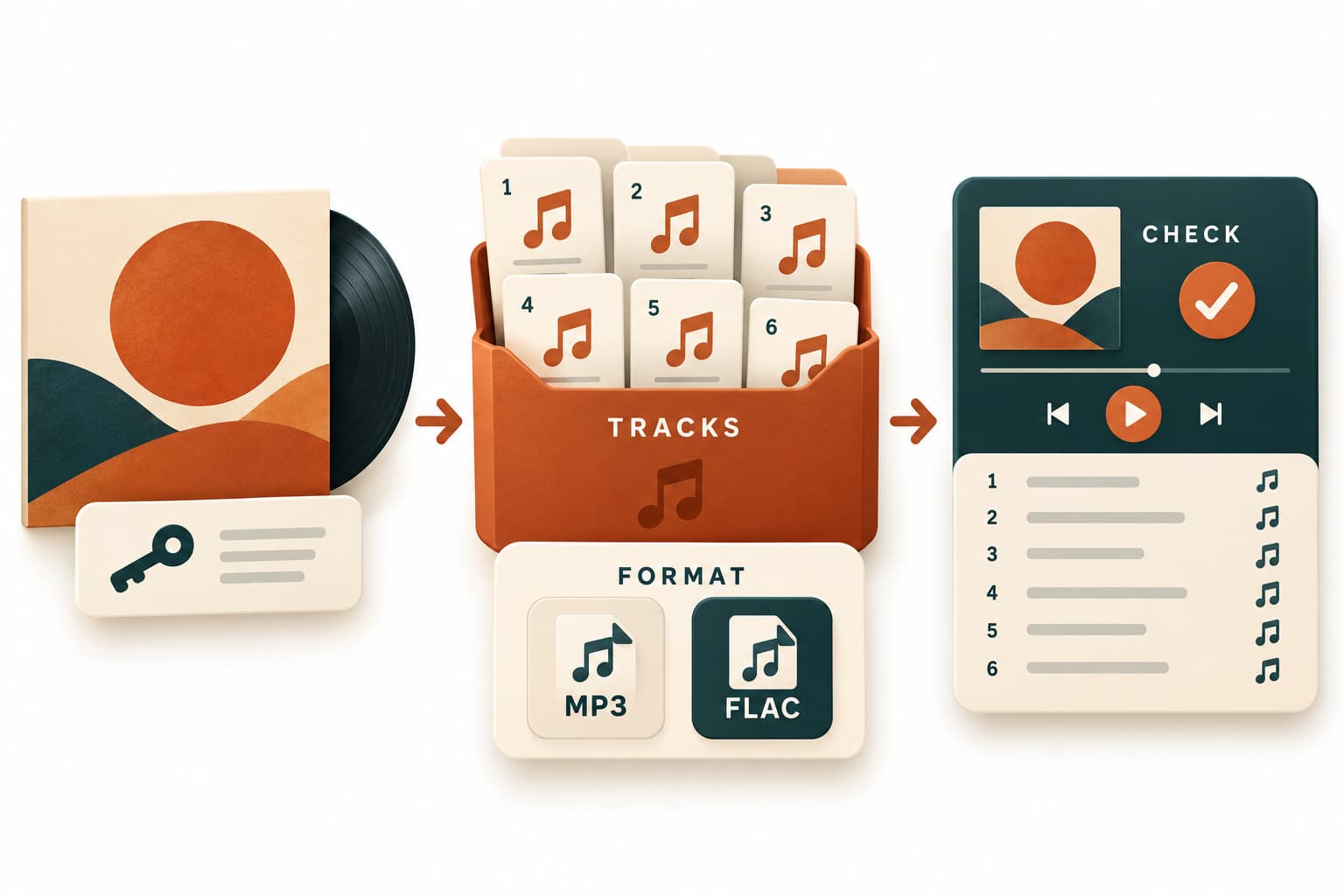
For anyone searching “bandcamp download music” after buying an album, the goal is a usable set of purchased files. This documentation-only guide draws on official help checked on 27 October 2026. No actual account download was performed.
Find the download for music you already purchased
Use the native download link from checkout or your receipt. Bandcamp also documents Collection on the web or Android, and Purchases on desktop. The download page provides a format dropdown. See Bandcamp’s purchase-download instructions.
Create a local folder named for the artist and release. Keep different editions separate so you can check files against the right purchase. If you already have a copy, give the new folder a distinct name instead of overwriting it. This makes it easier to compare versions and undo a mistaken file move.
Choose the audio format for your destination
Start with the destination: a player, another device, or an archive. Compare its documented format support with the choices on your purchase page.
- Playback: choose a supported format and test an extracted track in your intended player.
- Transfer: allow space for both the ZIP and extracted files.
- Archiving: record your chosen format and keep the release information with it.
A filename extension alone cannot confirm that the audio is correct.
Check the completed album download before extracting
Wait for the browser to report completion. Bandcamp’s download troubleshooting identifies incomplete downloads as one possible cause of ZIP trouble and recommends comparing the saved size with the download page’s displayed size. Another offered format, such as MP3, FLAC, or ALAC, may be appropriate.
Matching sizes alone do not verify the contents. If a download appears incomplete, retry it first. Keep the source ZIP unchanged and extract locally into a separate folder once the download is complete.
Verify the tracks and keep your purchase link private
Compare the extracted contents with your purchased release:
- Check actual track count, titles, and order against its track list.
- Look for missing or duplicate tracks, allowing for edition-specific extras.
- Play each track to check the expected audio; investigate unexpected silence, cutoffs, or incorrect tracks.
If your player presents tracks differently, inspect its sorting setting and any available track-number metadata. Record discrepancies before renaming files, preserving the original filenames as evidence for support.
Keep your receipt and purchase link private. For support, report the artist, release, format, displayed and saved sizes, exact error, affected tracks, and steps tried. Remove private download URLs from screenshots.
Key takeaways
- Choose an offered format based on your destination’s documented support.
- Compare download sizes, preserve the source ZIP, and inspect extracted files locally.
- Verify the purchased track list and keep receipt links private.
Conclusion
Keep a clearly named album folder and the original ZIP. Check playback at your destination before transferring the full album.
FAQ
Does offline playback in the app give me exported music files?
In-app offline playback is a different deliverable. This guide concerns exported files that you can inspect and organize locally.
What information helps support investigate a persistent problem?
Include your operating system, browser, extraction app, and whether failure occurs during download, extraction, or playback. Report observations rather than claiming a confirmed cause. When reporting playback trouble, name the player and identify where the issue occurs in the track. A clear timestamp is more useful than saying the album sounds wrong.
Should every release have the same folder structure?
No universal structure is assumed here. Use the track list and any extras described for your purchased edition to judge completeness.
Sources
Related pages
Download YouTube Video in 4K MKV: Codec and Player Checks
Understand vendor-documented MKV options, separate container from codec, inspect an authorized saved file, and check playback before choosing conversion.
4K Video Downloader Subtitles: Choose SRT or Embedded Output
Use documented subtitle settings in 4K Video Downloader Plus, choose separate SRT or embedded output, and diagnose missing tracks before repeating a download.
AC3 vs AAC: Audio Compatibility, Surround Sound and Passthrough
Compare AC3 and AAC for local media: check player and container support, understand passthrough, and decide whether to preserve or re-encode an audio track.
Download a Direct MP4 with AnyVidDL Desktop on Windows: A Tested Walkthrough
Follow one tested Windows desktop MP4 download with real screenshots, output settings and file checks, including this unsigned release’s limits.