Best TikTok Video Downloaders
Compare TikTok’s Save video and creator export with the actual results of three public AnyVidDL-owned TikTok posts, including MP4 sizes and verification limits.
Use TikTok’s built-in save when the creator offers it, or retain your original for an editing master. For a permitted public link, compare what a web checker actually returns before assuming a quality, soundtrack or watermark outcome.
Which copy are you trying to keep?
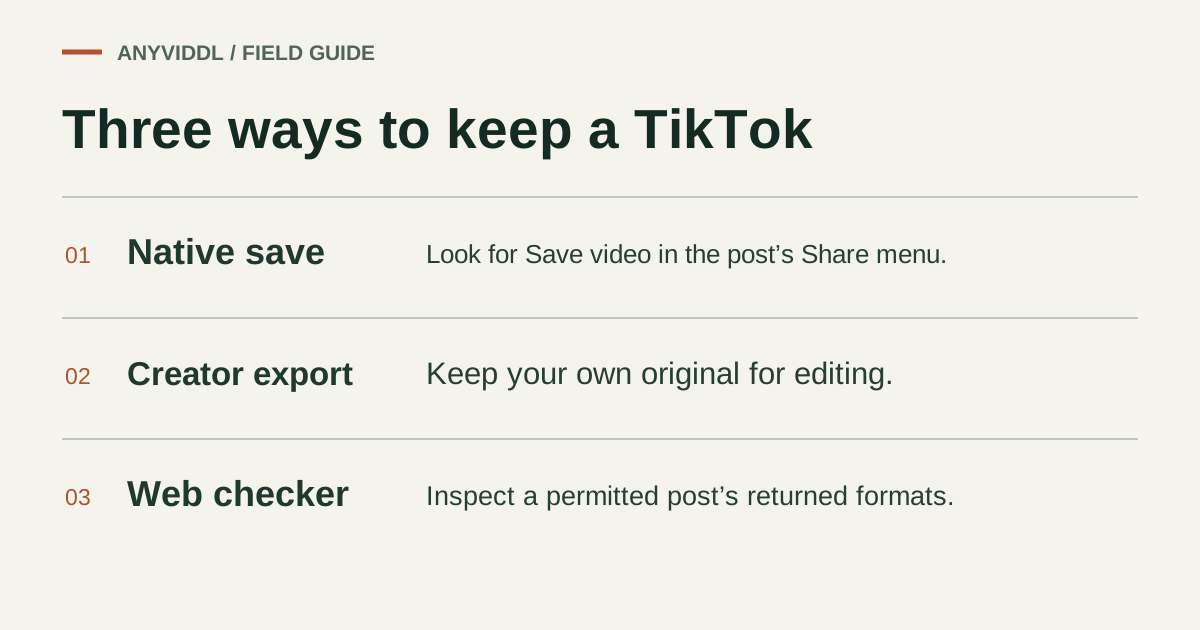
For an exact editing master of your own work, keep the source export before posting. For a viewer copy, open the video in the TikTok app, use Share, and look for Save video. TikTok says the viewer option depends on the creator allowing downloads. A missing control is a reason to contact the publisher. See TikTok’s official download instructions for the in-app steps.
The web workflow answers a narrower question: what does a public post expose to this checker now? It is useful when you own a clip or have permission to save it, particularly if you want to distinguish an available format from an inaccessible page.
Three owned posts, checked on the same day
On November 3, 2026, we submitted three public posts from @anyviddl to the production checker without a TikTok login. Each response identified the correct post and returned four entries. The first two entries in each response had the same MP4 height and size label; another said MP4 without a size, and the fourth said MP3.
| Owned TikTok post | MP4 label on the first two entries | Final file checks |
|---|---|---|
| The 2 KB M3U8 | 1024p, 262.9 KB | Playback and attribution unmeasured |
| SoundCloud offline saving | 1024p, 279.3 KB | Playback and attribution unmeasured |
| Audio track, silent file | 1024p, 314.8 KB | Playback and attribution unmeasured |
These are labels from format detection. We did not save three web outputs or three native-app copies and score their watermark, audio mix or picture quality. Duplicate-looking rows are not proof of two different resolutions. Likewise, an MP3 option does not mean you can reuse the post’s soundtrack independently.
Decide between the native copy and web candidate
Use the native option first for ordinary offline viewing when enabled. It follows the creator’s setting and gives you a file you can inspect on your device. Use the original export for editing, where keeping source resolution, captions and the intended audio mix matters more than matching the profile-page rendition. Use a web candidate for an authorized one-off retrieval only after checking the post and available format. Avoid tools that ask you for a TikTok password to save someone else’s video.
Judge a finished file on the same passage
Pick a recognizable transition and a spoken line in the original. Open the local file offline, compare that transition and listen for the line. Check the last seconds as well as the first frame; a thumbnail, a short preview or a file with video but no usable audio can all look convincing in a download list. Keep the creator’s handle and post link with your copy. A missing logo changes neither authorship nor the scope of your permission.
FAQ
Do the three size labels prove that three files were downloaded?
No. They were returned by format detection. Saved byte counts, watermark appearance, audio and device playback require inspection of a completed file.
What should I do if Save video is missing?
Use the creator’s original if it is your own post. For another creator’s work, ask for permission and an export rather than trying to override their setting.
Related pages
AnyVidDL vs SSSTwitter: Choosing an X/Twitter Video Workflow
Compare AnyVidDL and SSSTwitter for saving public X (Twitter) videos. Learn how single-URL web checks, format inspection, and error handling differ.
AnyVidDL vs Video DownloadHelper: Web Check or Extension?
Compare AnyVidDL’s single-link web workflow with Video DownloadHelper’s browser extension, covering installation, format handling, and usage boundaries.
Best M3U8 Downloader: Choose by Input and Required Output
Compare M3U8 playlist inspectors, browser extensions, and command-line tools like FFmpeg based on whether you have a direct URL or need merged audio and video.
Best X Video Downloaders
Compare current X and legacy Twitter URLs for the same public post, using the production AnyVidDL checker and a local yt-dlp format listing.