How to Save a Permitted TED Talk for Offline Study
Check a public TED Talk page, choose an available study copy, and preserve speaker, talk, transcript, and rights context.
AnyVidDL can check a public or permitted individual TED Talk page when its media is accessible. Use it for an authorized offline study copy, not playlist, series, embed, paid, login-only, DRM, or redistribution workflows.
Direct answer
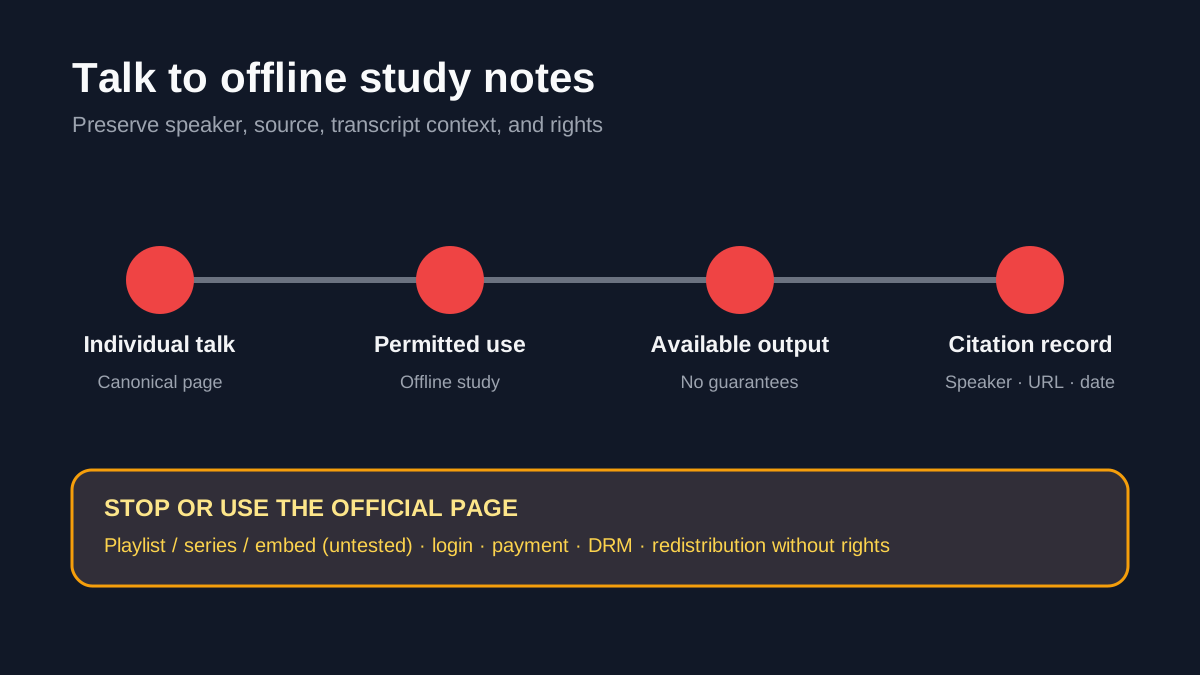
AnyVidDL can check a public or permitted individual TED Talk page when its media remains accessible. The repository marks TedTalk tested_passed; its recorded sample returned twelve video and three audio formats. This is evidence for one tested public-talk workflow, not a guarantee of every quality, subtitle, language, talk, or future response.
Use the workflow for a permitted offline study, accessibility, classroom-preparation, research-note, or speaker-review copy. Preserve the canonical talk URL, speaker, title, publication context, selected format, transcript or subtitle source, and check date. Public viewing does not grant redistribution rights.
When this workflow fits
- You have permission or a lawful basis for a personal offline study copy.
- You are checking one canonical TED Talk page rather than a playlist, series, embed, or search result.
- You will retain speaker, title, source link, and citation context.
- You can accept the formats actually exposed instead of expecting guaranteed HD, subtitles, or separate audio.
When not to use it
- TED playlists, series, and embedded-player URLs, whose separate extractors are not tested here.
- Login-only, paid, private, credential-gated, DRM-protected, region-restricted, or rights-restricted media.
- Republishing a whole talk, removing attribution, or using a saved file as a substitute for reuse permission.
- Newsletters, courses, or commercial archives that require rights beyond personal study.
Safe steps
- Open the canonical individual talk page and record its speaker, title, URL, and publication context.
- Confirm that your intended offline use is permitted. Check official terms or request permission when reuse is involved.
- Submit one canonical talk URL to AnyVidDL.
- Review the available video and audio choices; do not assume a particular quality, subtitle, or transcript track.
- Choose the smallest useful permitted copy for study or accessibility.
- Keep citation details, selected format, subtitle or transcript source, permission note, and check date with your notes.
Common failure reasons
| Failure | TED-specific meaning | Safe next step |
|---|---|---|
| Playlist, series, or embed URL | The URL uses a separate untested extractor | Open the individual permitted talk page |
| Talk unavailable | The page, media response, or region state changed | Use the official page or record the failure |
| Subtitle missing | The requested language or track is not in the public response | Use official transcript/accessibility options |
| Format unavailable | The expected resolution, audio, or container is absent | Select an available permitted option |
| Login, payment, or DRM | Access depends on controls outside the public workflow | Stop; do not provide credentials or seek a bypass |
| Reuse rights unclear | Educational value does not itself grant redistribution rights | Keep it personal or obtain permission |
Privacy and rights boundary
AnyVidDL should not request a TED account password, cookies, payment credentials, session tokens, or DRM keys. A talk's educational purpose does not erase speaker, producer, music, translation, transcript, or platform rights. Keep attribution and citation context, and use the official talk page when sharing with others.
Related workflows
- Offline viewing workflow
- Videos with subtitles
- Prepare video for AI transcription
- Failure reason taxonomy
- Acceptable use
FAQ
Can AnyVidDL check an individual TED Talk page?
Yes, when the public source is accessible and your use is permitted. Output still depends on the current source response.
Does this cover TED playlists or series?
No. Those separate routes remain untested candidates.
Are subtitles guaranteed?
No. Use the official transcript and accessibility options if a needed track is unavailable.
Can I republish a saved talk?
Not without the necessary rights. A successful check does not grant redistribution permission.
Related pages
Prepare Video Downloads for AI Transcription
A safe workflow for preparing public or permitted video downloads before sending audio or files to AI transcription tools.
Video Download Failure Reason Taxonomy
A standard failure vocabulary for download pages, queues, API responses, and support docs.
Download videos for offline viewing
A practical workflow for saving public or permitted videos so they remain available during travel, weak signal, or classroom use.
Download videos with subtitles
A checklist for subtitle-aware downloads, including when a normal MP4 save is not enough.