How to Check and Save a Direct MP4 Link Safely
Identify a real direct MP4 response, check what the server returns, and diagnose player, HTML, access, and saving behavior without bypassing source controls.
A real direct MP4 link returns media itself rather than a webpage. Check the response type, open the owner-supplied public source, and save only when the browser and source permit it. AnyVidDL can check one public link, but current direct-file reliability is unverified and complete saving is not guaranteed.
Direct answer
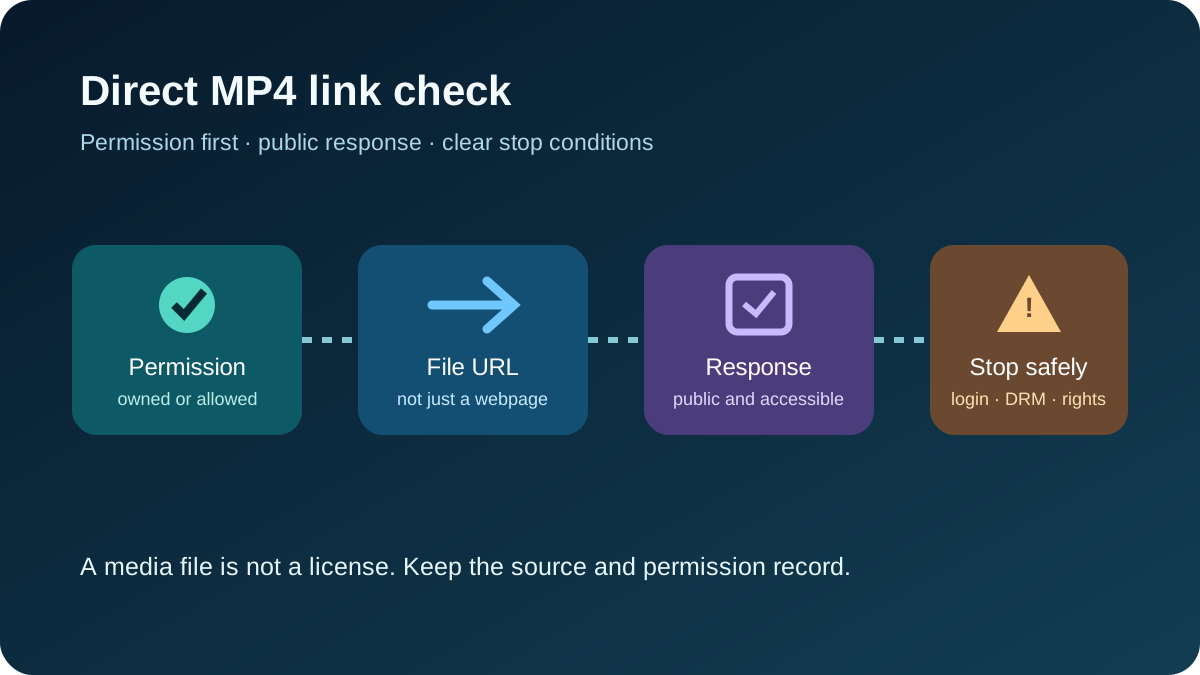
A direct MP4 link returns the media file itself, not a webpage that merely contains a player. Confirm permission, check the response, open the public source directly, and save only when the browser, source, and device permit it.
AnyVidDL currently treats direct-file handling as beta. Its product record says it can open source files when a direct file is returned, while playback and saving remain source/device dependent. Current reliability is UNVERIFIED. A limited check on 2026-09-13 returned a 1024-byte MP4 range with HTTP 206; the evidence validity ended on 2026-09-20 and did not test a complete download or device save.
Check the response first
The useful question is not “Does the URL end in .mp4?” but “What does the server actually return?”
MDN explains that Content-Type identifies the media type of the returned representation, although it can be configured incorrectly. A filename or .mp4 extension alone is insufficient. For a direct MP4 response, you would usually expect video/mp4, not text/html. MDN: Content-Type
Content-Disposition can influence presentation. inline generally allows browser display, while attachment can suggest download handling. Neither guarantees a saved file; behavior still depends on the browser, source, and device. MDN: Content-Disposition
| Response check | What it means | Next step |
|---|---|---|
| Content-Type: video/mp4 | MP4 media is being returned | Open the public source; save only if normal browser behavior permits |
| Content-Type: text/html | A webpage, error, or login response | Stop treating it as a direct MP4 |
| HTTP 206 | A partial byte-range request succeeded | Do not treat it as proof of a complete save |
| Content-Disposition: inline | The browser may display/play media | Use normal save controls if available |
| Content-Disposition: attachment | The source suggests download handling | Saving may be offered, but is not guaranteed |
| Redirect to login/access page | The resource is gated | Stop; do not add private credentials |
Practical check without technical tools
-
Confirm the media is yours, licensed to you, or otherwise permitted.
-
Open the exact owner-supplied public URL in a normal browser window.
-
A standalone video player may indicate a direct media response, but does not prove complete saving.
-
A webpage, error page, sign-in screen, or cloud-share interface is not behaving like a simple direct MP4 response.
-
If the browser offers a normal save action, use it if permitted. If it does not, do not assume whole-file saving is supported.
-
If the link expired, moved, or requires login, ask the owner for a current official public link.
Optional browser Network-panel check
For an existing owner-supplied public URL, open developer tools, reload the URL, select the main request, and inspect the status, Content-Type, and Content-Disposition. A 200 response and a 206 partial-range response are different evidence.
Do not copy or share cookies, tokens, private request headers, signed credentials, or session data. If access depends on them, stop.
Why it opens a player—or saves HTML
Opening a player is not automatically a failure. A source can return video/mp4 for inline presentation, so the browser plays it. If a normal save control appears, you may use it when permitted. AnyVidDL cannot promise that every source or device will save the whole file.
A URL can also look like an MP4 link while returning HTML. Saving that response may produce a webpage or error document instead of video.
| Symptom | Likely cause | Best next step |
|---|---|---|
| Video plays in the tab | Direct media is shown inline | Use normal browser save behavior if available |
| Saved file is HTML | The response was a webpage/error page | Re-check Content-Type |
| Link worked before, now fails | The URL moved or expired | Request a current official link |
| Access denied or sign-in appears | The source is gated | Stop; do not bypass access controls |
| Only part of the file is returned | A range request succeeded | Do not treat it as complete-download proof |
| No usable AnyVidDL option | Unsupported, unavailable, or not direct media | Use the owner’s official method or stop |
What AnyVidDL can establish
AnyVidDL has a single-link check for public links. Keep four kinds of evidence separate:
-
Response headers: what the server says it is returning.
-
Parse options: whether AnyVidDL exposes a usable direct-file option.
-
Range result: whether a partial byte request succeeds.
-
Complete save: whether the entire file is saved on a particular browser/device.
The September 13 check established only a limited MP4 range result with HTTP 206. Complete download and device saving were not tested.
AnyVidDL does not claim cloud merging, hosted HLS-to-MP4 conversion, a public developer API, or an official browser extension.
Rights and privacy boundary
Use this workflow only for media you own, are authorized to save, or may lawfully archive. Do not paste private signed URLs, passwords, cookies, storage credentials, DRM keys, or session tokens into a public-link workflow. Technical access does not grant redistribution, publication, or commercial-use rights.
Check one link with AnyVidDL
If you already have one public URL, use Video to MP4 to check whether AnyVidDL recognizes a usable option. This is a single-link check, not a promise to transcode the source or save it on every device.
Related workflows
FAQ
What counts as a real direct MP4 link?
A URL that returns accessible MP4 media itself, rather than a webpage containing a player. The response matters more than the filename.
Why does my MP4 link open a player?
The server may be returning MP4 media for inline presentation. Saving still depends on the browser, source, device, and permissions.
Why did I save HTML instead of video?
The URL likely returned a webpage, error, redirect target, or login page rather than video/mp4. Re-check the response before retrying.
Does HTTP 206 prove the whole MP4 can be downloaded?
No. HTTP 206 shows that a partial byte-range request succeeded. It does not prove a complete file save.
Can AnyVidDL turn any video page into MP4?
No. Direct-file support is limited to public, accessible, unprotected sources and supported responses. It does not imply universal page extraction, hidden endpoint discovery, or transcoding.
Sources
Related pages
Video Download Failure Reason Taxonomy
A standard failure vocabulary for download pages, queues, API responses, and support docs.
MP4 Link Guide: Identify Playlists, Separate Tracks, and Saved Files
Learn how to identify an MP4 link, distinguish playlists and separate tracks, check audio metadata, and verify permitted saved files locally.
archive.org Media Download Workflow for Public Archives
Check public archive.org media links, handle playlist-style archive items, and preserve rights and source metadata before saving.
Dailymotion Video Download Workflow for Public Links
Check public or permitted Dailymotion links, understand embed and protected-video failures, and keep a safe source record.