How to Archive a Permitted CNN Video Without Losing Context
Check an individual public CNN video, preserve its article and reporting context, and stop when access or reuse rights are unclear.
AnyVidDL has repository evidence for a tested public CNN media parse, but that does not grant permission to republish news footage. Use one canonical public video or article URL only for owned, licensed, permitted, or otherwise lawful archiving, and preserve the headline, publisher, date, source URL, and rights note.
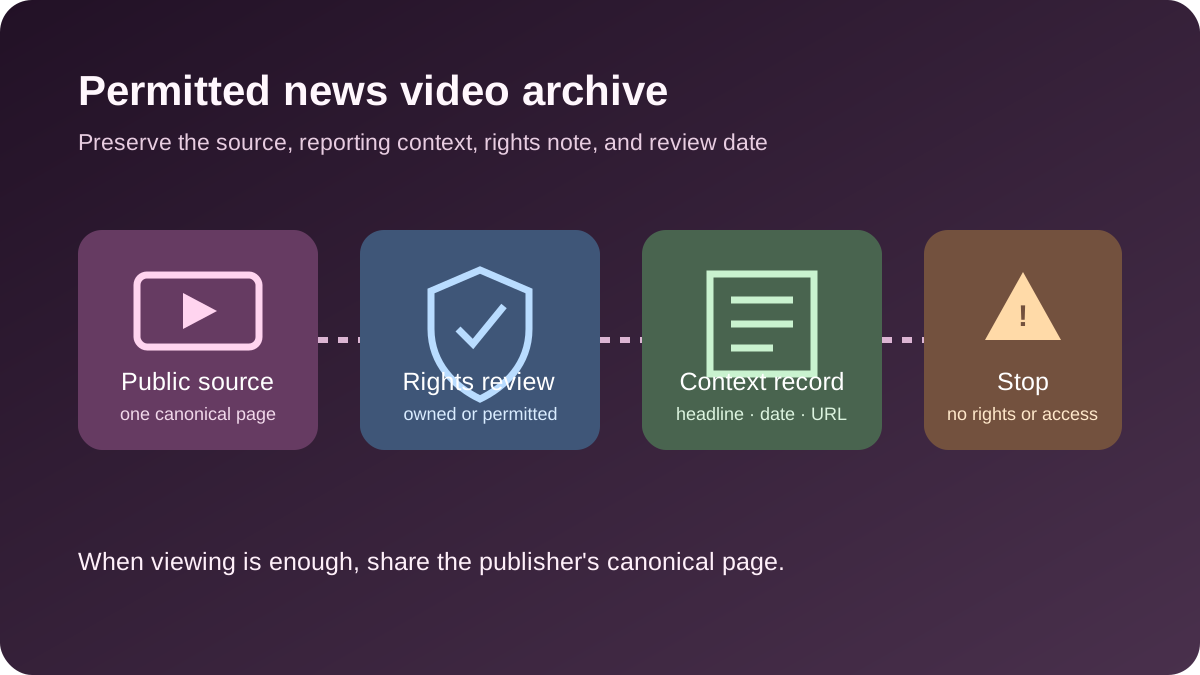
Direct answer
AnyVidDL has repository evidence for a tested public CNN media parse. That evidence supports a careful public-link check; it does not prove that every CNN page will work, and it does not create a license to republish news footage. Use one canonical public video or article URL only when your archive is owned, licensed, permitted, or otherwise lawful.
News video is unusually context-sensitive. Preserve the publisher, headline, byline when available, publication date, canonical URL, check date, permission basis, and whether the saved file is complete or an excerpt. Sharing the official article link is often safer than distributing a copied file.
When this workflow fits
- Keeping an authorized internal research, accessibility, compliance, or editorial-reference copy.
- Archiving footage your organization owns, licensed, commissioned, or has explicit permission to retain.
- Checking one canonical public CNN page and retaining its reporting context with the file.
- Documenting a public-link failure without looking for a hidden player endpoint or access workaround.
When not to use it
- Republishing news footage, graphics, narration, music, or third-party clips without the required rights.
- Bulk-copying articles, topic pages, playlists, live feeds, search results, or an entire publisher archive.
- Login-only, paid, DRM-protected, credential-gated, region-restricted, or rights-restricted media.
- Removing a publisher mark, cropping out attribution, or presenting an excerpt without its original context.
- Treating public availability, fair-use concepts, or research interest as automatic permission.
Safe steps
- Open the canonical CNN page and identify the exact video, headline, publisher, date, and surrounding article context.
- Record why you may save it: ownership, license, explicit permission, or a reviewed lawful archive purpose.
- Submit one public canonical URL to AnyVidDL; do not provide account cookies or private session data.
- Review the returned format or failure reason and select only what the permitted task needs.
- Save the source metadata and permission note alongside the file, including whether it is a full item or excerpt.
- Recheck rights before sharing, publishing, editing, training a model, or using the material commercially.
Context record to keep
| Field | What to record | Why it matters |
|---|---|---|
| Source | Canonical CNN URL and publisher | Keeps the file tied to its original location |
| Story context | Headline, byline when available, publication date | Reduces misleading reuse outside the report's context |
| Media identity | Video title or description and whether it is an excerpt | Distinguishes the saved item from the full article |
| Permission | Owner, license, approval, or reviewed archive basis | Technical access is not reuse permission |
| Processing | Check date, selected format, edits, transcript or notes | Makes later review and correction possible |
| Retention | Review or deletion date | Avoids keeping copies after the purpose or permission ends |
Common failure reasons
| Failure | CNN-specific possibility | Safe next step |
|---|---|---|
| No public media returned | The page layout or media response changed | Keep the official article link and record the failure |
| Embedded provider | The video is served through a different source or page type | Use the canonical permitted source; do not hunt hidden endpoints |
| Region or account control | Availability depends on location or logged-in state | Stop instead of bypassing the control |
| Live or changing page | The URL represents a live feed or frequently updated story | Use the publisher's official replay or archive option |
| Format unavailable | The expected quality, audio, captions, or container is absent | Use an available permitted option or keep the official link |
| Rights unclear | The report includes agency, freelance, music, or third-party material | Obtain permission or do not copy the file |
Privacy and rights boundary
Do not submit passwords, cookies, subscriber details, payment data, session tokens, or DRM keys. A public news page can include embeds and third-party assets with different rights. AnyVidDL's technical result cannot determine whether quotation, classroom use, research, AI processing, publication, or redistribution is lawful in your situation.
Keep the original reporting context and correct or delete internal copies when the source is materially updated, retracted, or the permission basis expires. When colleagues only need to read or watch the report, share the canonical page.
Related workflows
FAQ
Can AnyVidDL check a CNN video?
The repository contains one tested public CNN parse. Current results can still change by page, region, response, and product limits.
Can I repost the saved footage?
Not without the required rights. Downloadability is not permission to redistribute news material.
What metadata should I keep?
Keep the canonical URL, publisher, headline, byline when available, dates, selected format, permission basis, and edit notes.
What should I do when it fails?
Record the failure and use the official page or request an authorized copy. Do not seek a hidden endpoint or provide credentials.
Related pages
Video Download Failure Reason Taxonomy
A standard failure vocabulary for download pages, queues, API responses, and support docs.
Download videos for offline viewing
A practical workflow for saving public or permitted videos so they remain available during travel, weak signal, or classroom use.
Save Videos for AI Research
A permission-aware workflow for saving public or permitted videos before using AI tools for research notes, transcripts, summaries, or evidence review.
How to Save a Facebook Video You Own or Have Permission to Use
Choose Facebook's official owner export or a permitted public-link workflow, then verify audience, URL, format, audio, file integrity, and reuse rights.