Vimeo Video Download Workflow for Permitted Links
Check public or permitted Vimeo links, understand private, password, team, paywall, and DRM limits, and choose a safe MP4 or archive workflow.
AnyVidDL can check public or permitted Vimeo links when the source is accessible and saving is allowed. Vimeo support evidence is tested passed for a public sample, but private, password-protected, team-only, paywalled, DRM-protected, or credential-gated Vimeo media should be refused instead of bypassed.
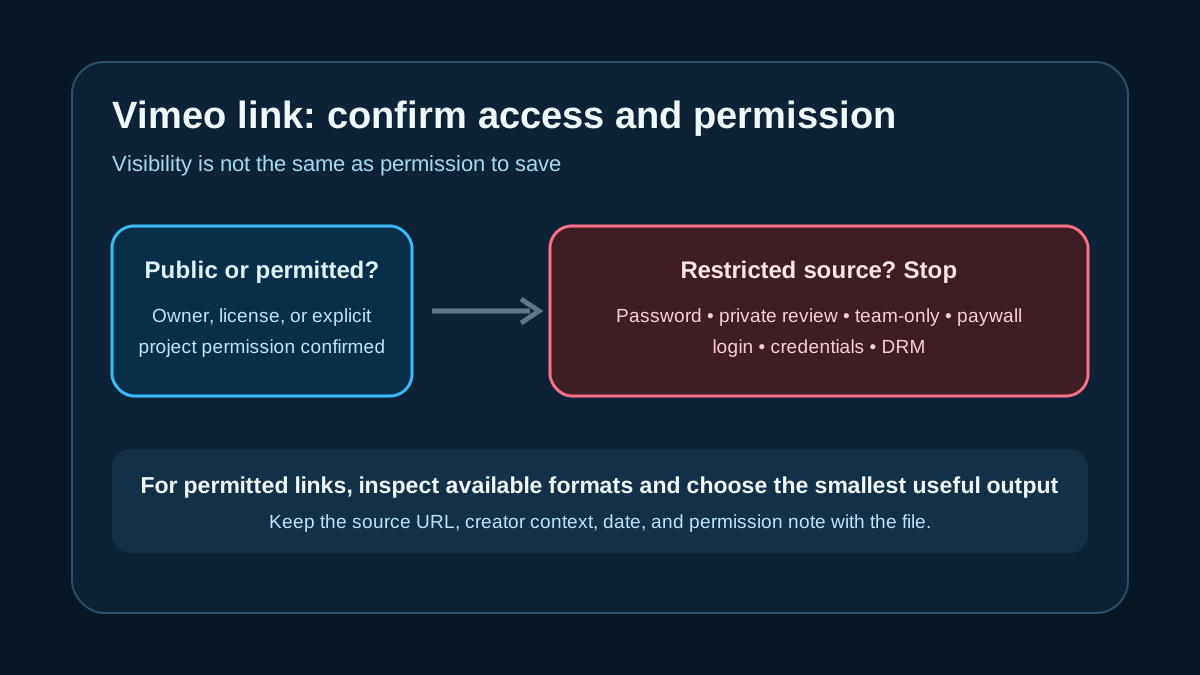
Direct answer
AnyVidDL can check public or permitted Vimeo links when the source is accessible and saving is allowed. Vimeo is in the current tested-passed support tier, with the evidence note that a public sample returned 9 video formats and 4 audio formats.
That does not mean every Vimeo URL is safe or available. Vimeo is often used for creator portfolios, business videos, review links, paid access, team libraries, and embedded players, so the workflow must separate public permitted media from restricted or rights-sensitive sources.
When this workflow fits
- You own the Vimeo video and need a backup or review copy.
- A creator or client has given permission to save a public Vimeo asset.
- The video is publicly accessible without password, account membership, payment, or private review access.
- You need to compare available MP4-oriented formats before choosing a file.
- You need source records for editorial, education, support, or archive notes.
When not to use it
- Do not bypass Vimeo password settings, private links, team-only libraries, review-page restrictions, paywalls, DRM, SSO, or account controls.
- Do not treat embedded-player access as permission to save or redistribute the video.
- Do not promise HD, 4K, original file access, or every-variant availability.
- Do not use a saved Vimeo file for reposting, commercial reuse, or client delivery without rights clearance.
Safe steps
- Confirm that the source owner, license, or project permission allows saving.
- Open the Vimeo page or embed in a normal browser session and check whether it is public.
- Copy the canonical public Vimeo URL or permitted embed URL.
- Paste one link into AnyVidDL and inspect the returned formats, audio state, and failure reason.
- Choose the smallest useful output for review or archive; avoid claiming original quality unless the source explicitly provides it.
- Store the source URL, creator or account context, permission note, selected format, and capture date.
Common failure reasons
| Failure reason | Vimeo-specific meaning | Safe next step |
|---|---|---|
| Password or private setting | The video owner restricted access | Ask the owner for an official file or permissioned export |
| Team-only or review access | The link depends on a private workspace state | Do not collect workspace credentials or session data |
| Paywall or on-demand content | Access is tied to payment or entitlement | Use Vimeo's official purchase or viewing workflow |
| DRM or protected stream | The stream is intentionally protected | Stop; AnyVidDL should not bypass DRM |
| Embed metadata mismatch | The embedded player and canonical page expose different data | Try the canonical public URL only when permitted |
| Quality unavailable | The requested rendition is not exposed | Choose an available permitted format or stop |
Reproducible evidence and stop conditions
The repository support matrix dated 2026-07-05 records one public Vimeo sample with 9 video formats and 4 audio formats. That narrow observation supports the tested_passed label only for an accessible public sample; it does not verify private review links, password pages, showcases, on-demand purchases, team libraries, or every embed configuration.
Stop when access depends on a password, account, payment, entitlement, private token, DRM, or workspace session. Also stop when the needed rendition is absent rather than promising HD, 4K, or an original file. For a reproducible check, record the canonical URL, date, public-access state, returned format count, selected output, and permission basis.
Privacy and rights boundary
AnyVidDL should not request Vimeo account passwords, team credentials, private cookies, DRM keys, or paid-access tokens. If access depends on those items, the source is outside the safe web workflow.
Saving a public Vimeo file does not grant reuse rights. Keep creator attribution and project context with the file, and use official Vimeo download controls when the owner provides them.
Related workflows
- Use Video to MP4 when MP4 is the right output for a permitted Vimeo source.
- Use the safe social video download workflow to verify rights and public access first.
- Use the failure reason taxonomy to classify private, format, and protected-source failures.
- Review acceptable use for reuse and redistribution boundaries.
- Review privacy before any workflow asks for account information.
FAQ
Can AnyVidDL check Vimeo links?
Yes, Vimeo is in the tested-passed support evidence for public media, but results still depend on public access, source response, and permission to save.
Can AnyVidDL bypass private or password-protected Vimeo videos?
No. Password, private, team-only, paywalled, DRM-protected, or credential-gated Vimeo content should be refused.
Is Vimeo video quality guaranteed?
No. Available formats and quality depend on the variants exposed by the source and the current product limits.
What should I keep with a saved Vimeo file?
Keep the source URL, creator or account context, capture date, selected format, and permission note.
Related pages
video-to-mp4
Open this related workflow or decision page.
guides safe-social-video-download-workflow
Open this related workflow or decision page.
methodology failure-reason-taxonomy
Open this related workflow or decision page.
legal acceptable-use
Open this related workflow or decision page.
legal privacy
Open this related workflow or decision page.