archive.org Media Download Workflow for Public Archives
Check public archive.org media links, handle playlist-style archive items, and preserve rights and source metadata before saving.
AnyVidDL can check public or permitted archive.org media links when the item is accessible and saving is allowed. archive.org support evidence is tested_passed with a production-verified public sample, but private, paid, login-only, DRM-protected, credential-gated, region-restricted, or rights-restricted material should be refused instead of bypassed.
Direct answer
AnyVidDL can check public or permitted archive.org media links when the item is accessible and saving is allowed. In the current support evidence, archive.org is marked tested_passed, and a production sample for https://archive.org/details/BigBuckBunny_124 returned ok=true, the title Big Buck Bunny, and 3 video formats.
archive.org is often safer to discuss than high-risk social platforms because many items are public archives, public-domain works, educational materials, or uploader-provided media. It still needs a rights check. Public access on an archive page does not automatically grant reuse, commercial, reposting, or redistribution rights.
When this workflow fits
- You are saving public-domain, open-license, owned, or otherwise permitted archive.org media.
- You need an offline reference copy for research notes, accessibility, preservation review, or internal documentation.
- The item page is public and opens without account login, payment, DRM, credentials, or private collection access.
- You want to compare returned formats before choosing the smallest useful file.
- You can preserve item metadata, collection context, license or rights notes, and capture date.
When not to use it
- Do not use AnyVidDL for private, login-only, paid, DRM-protected, credential-gated, region-restricted, or rights-restricted archive material.
- Do not assume every archive.org item is public domain or available for commercial reuse.
- Do not strip collection, uploader, source, license, or rights context from a saved file.
- Do not promise that every archive item, playlist entry, derivative file, subtitle, or quality level will be returned.
Safe steps
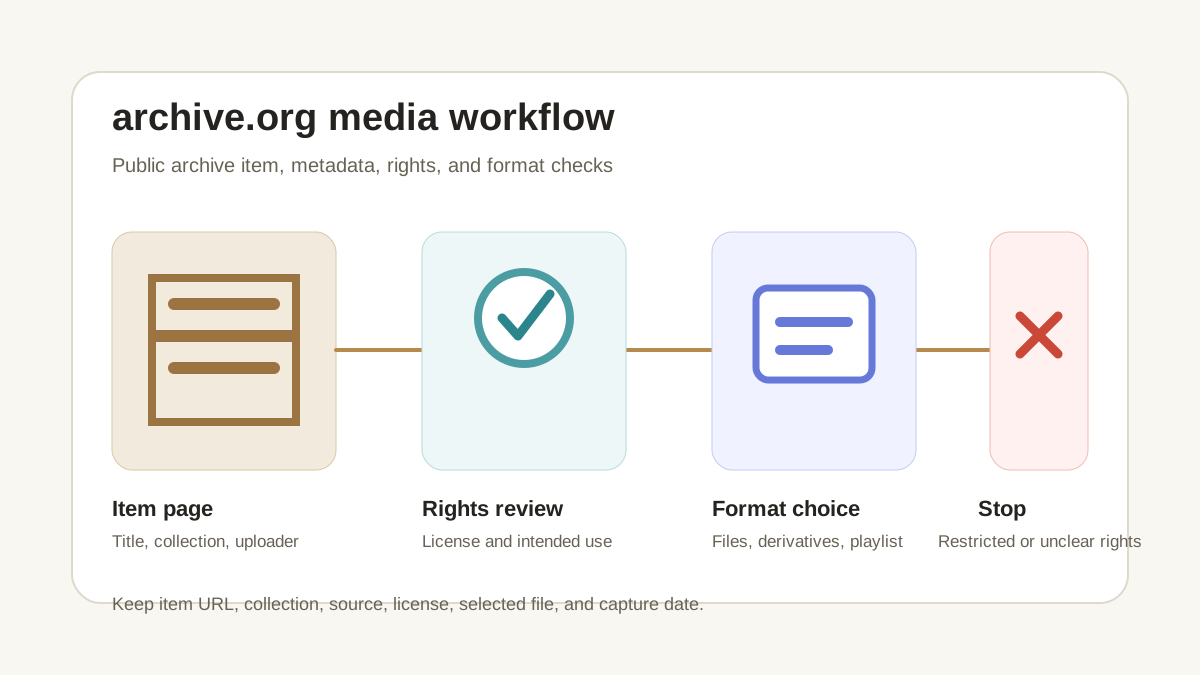
- Open the archive.org item page and review the title, collection, uploader, source, license, and rights statement.
- Confirm that saving is allowed for your intended use, not merely that the page is publicly viewable.
- Copy the canonical item URL, such as an
/details/page, instead of a search result, collection feed, or tracking URL. - Paste one archive.org link into AnyVidDL and review the returned formats, item state, and failure reason.
- Select the format that fits the permitted use, file-size limit, and compatibility need.
- Save the item URL, title, collection, uploader or source, selected file, license or rights note, and capture date with the file.
Common failure reasons
| Failure reason | archive.org-specific meaning | Safe next step |
|---|---|---|
| Item removed or unavailable | The public page or media file no longer exposes the expected media | Record the failure and use official archive metadata |
| Playlist or multi-file ambiguity | One item can expose several files, derivatives, or entries | Select only the file you are allowed and need to save |
| Format unavailable | The expected MP4-oriented file is not exposed | Choose another permitted format or stop |
| Rights uncertainty | The archive page lacks a clear license for your intended use | Treat reuse or redistribution as not permitted |
| Login or restricted collection | The item depends on access state AnyVidDL should not collect | Do not provide credentials or private session data |
| Large file or task limit | Public archive files can be large | Use a controlled workflow or official archive options when appropriate |
Privacy and rights boundary
AnyVidDL should not ask for archive.org account passwords, private cookies, restricted collection access, payment credentials, DRM keys, or session tokens. If a file requires those items, it is outside the public-link workflow.
Archive metadata matters. Keep the original item page, collection name, uploader, source notes, license or rights statement, selected file name, and capture date with the saved media. A saved copy does not create rights to repost, commercialize, modify, or redistribute the work.
Reproducible evidence record
The repository support matrix records one production check for https://archive.org/details/BigBuckBunny_124: the public proxy returned ok=true, the title Big Buck Bunny, and three video formats. This record supports the tested_passed tier for that public item only. Recheck the current item response before relying on it, and record the URL, check date, returned format count, and any failure code; do not extrapolate the result to restricted collections or every archive.org item.
Related workflows
- Use Video to MP4 when an archive item exposes an MP4-oriented file that fits the permitted use.
- Use the safe social video workflow when the archive item contains social, event, or creator-provided media.
- Use the failure reason taxonomy to classify unavailable items, format gaps, restricted access, and rights uncertainty.
- Review acceptable use before reuse or redistribution.
- Review privacy before any workflow asks for account or session information.
FAQ
Can AnyVidDL check archive.org media links?
Yes. archive.org has tested-passed support evidence, including a production-verified public sample, with public-or-permitted and source-availability limits.
Does archive.org public access mean I can reuse the file?
No. Check the item's license, rights statement, uploader notes, collection policy, and intended use before saving or reusing media.
Why can archive.org return multiple formats?
Archive items may expose several files or playlist entries, so the safest workflow is to review each returned format and keep metadata with the saved file.
What should I record with a saved archive item?
Keep the item URL, title, collection, uploader or source, license or rights statement, selected file, and capture date.
Related pages
video-to-mp4
Open this related workflow or decision page.
guides safe-social-video-download-workflow
Open this related workflow or decision page.
methodology failure-reason-taxonomy
Open this related workflow or decision page.
legal acceptable-use
Open this related workflow or decision page.
legal privacy
Open this related workflow or decision page.